Access Control Card Readers: Smart Guide 2025

Access Control Card Readers: Smart Guide 2025
Why Access Control Card Readers Are Essential for Modern Security
Access control card readers are electronic devices that authenticate credentials—like cards, fobs, or smartphones—to grant or deny entry. By replacing traditional keys, they eliminate physical hassles while adding layers of security. You can grant or revoke access instantly, program new credentials in seconds, and maintain detailed audit logs of who went where and when.
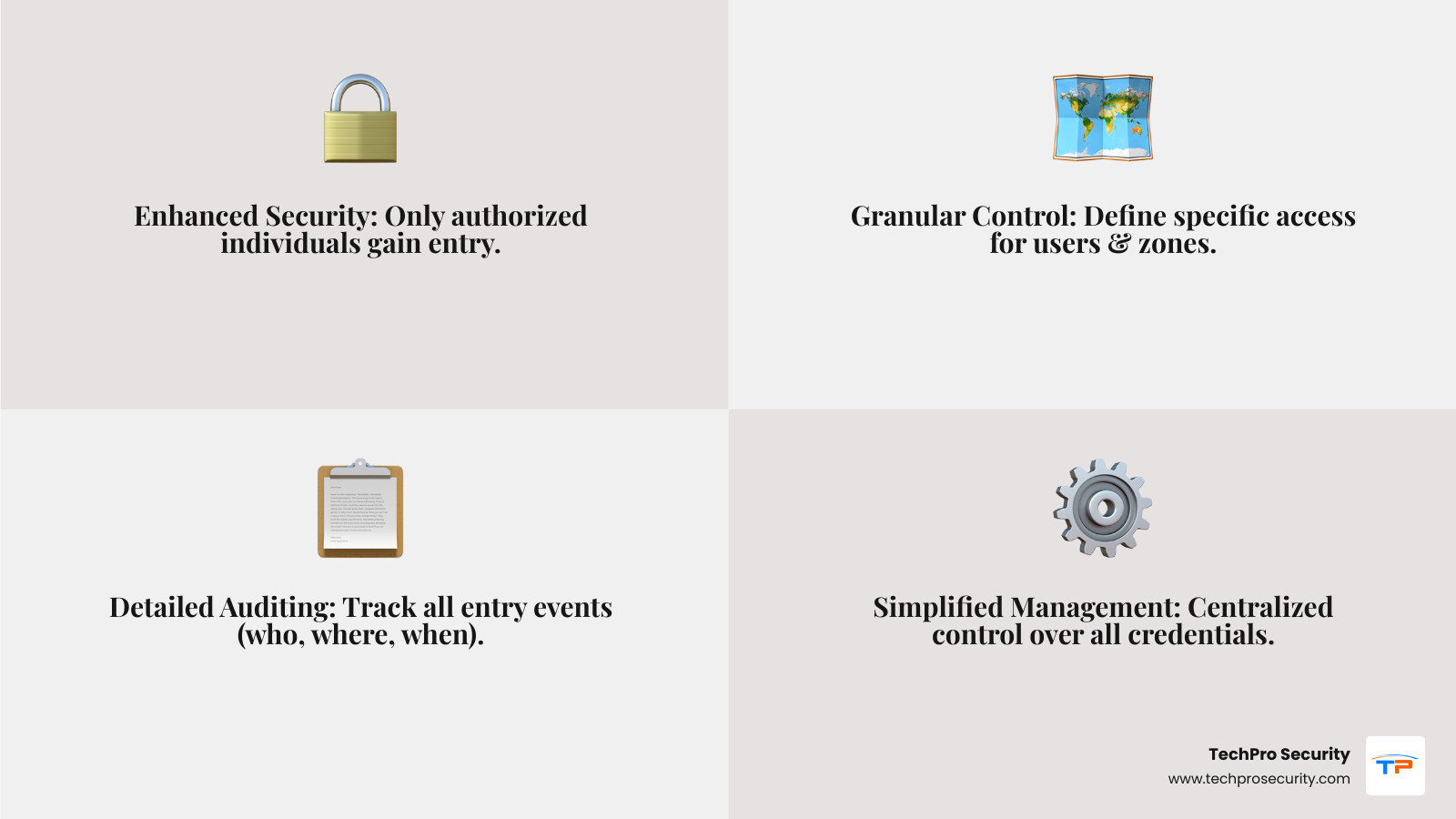
Core benefits of access control card readers include:
- Improved Security - Only authorized individuals can access specific areas, replacing vulnerable traditional keys
- Detailed Audit Trails - Track who entered where and when, creating accountability
- Operational Efficiency - Grant or revoke access instantly without physical key collection
- Cost Savings - No need to rekey locks when credentials are lost; simply disable the card
The access control market is projected to expand from USD 9.5 billion in 2023 to USD 20.5 billion by 2032 at a CAGR of 8.9%, reflecting widespread adoption. By 2025, over 70% of new installations are expected to support mobile credentials, showing the technology’s rapid evolution.
I’m Brad Besner, founder of TechPro Security. Since 2007, my team has designed custom security solutions, including access control card readers, for gated communities and businesses across South Florida. We’ve prevented hundreds of intrusions by building systems custom to each client’s needs, backed by 24/7 support.
Understanding the Core Technologies of Access Control Card Readers
Choosing an access control card reader is a high-tech decision that shapes your daily security and future adaptability. Let’s explore the main reader technologies to help you make the smartest choice for your property.
Proximity Readers (125 kHz): The Reliable Standard
If you’ve ever waved a card or fob to open a door, you’ve likely used one of these dependable access control card readers. These readers operate on a low-frequency (125 kHz) radio signal. When a prox card is near, the reader powers it to transmit its ID number. This simple, contact-free process makes them cost-effective and user-friendly for general office access, gyms, and apartment complexes. However, the older technology in standard 125 kHz cards is vulnerable to cloning, making them unsuitable for high-security areas.
For more information on these foundational systems, explore our guide to Proximity Card Readers.
Smart Card Readers (13.56 MHz): Secure and Versatile
When you need to step up your security, smart card readers are a significant leap forward. Operating at a higher frequency (13.56 MHz), smart cards contain a microchip capable of cryptographic functions. This enables a secure, encrypted “conversation” between the card and reader, making them extremely difficult to clone. Common platforms include MIFARE, iCLASS, and DESFire. Their versatility—storing access permissions, biometric data, or even cash balances—makes them ideal for corporate, government, and healthcare facilities. While the initial cost is higher, the investment provides superior security and flexibility.
Find the advanced capabilities of Smart Card Readers for your business.
Biometric Readers: The Ultimate in Personal Identification
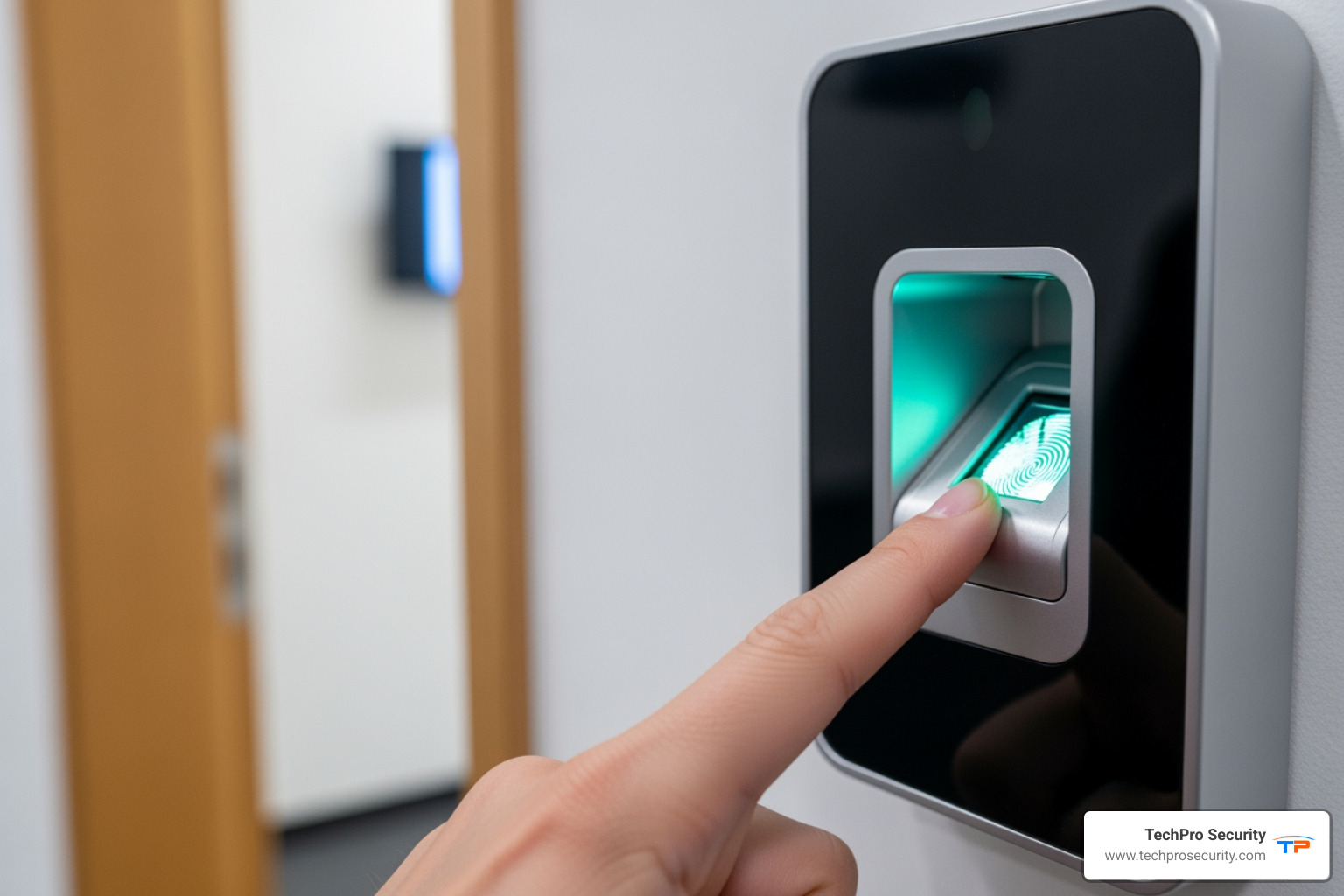
When you must verify “who you are” not just “what you have,” biometric readers are the pinnacle of access control card readers. They verify identity based on unique physical traits like fingerprints, facial features, or palm vein patterns. This “who you are” approach offers the highest level of security because credentials cannot be lost, stolen, or shared. They are ideal for securing highly sensitive areas like data centers or pharmaceutical storage. While upfront costs are higher and privacy policies must be carefully managed, the protection they offer is unparalleled for critical infrastructure.
Explore how Biometric Access Control can lift your security.
Mobile Access & Multi-Technology Readers: Future-Proofing Your Security
The future of access control is in your pocket. Mobile access turns a smartphone into a secure key using Bluetooth Low Energy (BLE) or Near Field Communication (NFC). Users tap or wave their phone for touchless entry, a convenient solution since people rarely forget their phones. To ease the transition to newer technologies, multi-technology readers are invaluable. They can process multiple credential types—like 125 kHz prox, 13.56 MHz smart cards, and mobile credentials—on the same device. This allows for a gradual, budget-friendly upgrade path, future-proofing your security investment as the industry moves toward mobile-first access.
For a comprehensive look at how these technologies integrate into broader security strategies, check out our access control systems.
Key Factors for Selecting the Perfect Reader
Choosing the right access control card reader isn’t a one-size-fits-all decision. Every business and security challenge is unique. You wouldn’t use the same reader on a beachfront condo as in a climate-controlled data center. The perfect reader depends on several key factors.
Feature Proximity (125 kHz) Smart Card (13.56 MHz) Biometric Mobile Access
Security Level Low-Medium Medium-High Very High High
Cost Low Medium High Medium (reader only)
Convenience High High Medium (speed dependent) Very High (phone always with user)
Best Use Case General office, time tracking Corporate, government, multi-app High-security, sensitive data Modern offices, flexibility, touchless
Choosing the Right Access Control Card Readers for Your Environment
The environment is a critical factor, especially in South Florida’s challenging climate. An indoor reader has different requirements than one exposed to salt air, humidity, and sun. For outdoor installations, look for a high IP rating. An IP65-rated reader, for example, is dust-tight and protected against water jets, making it ideal for our region’s weather. In public areas, consider vandal resistance with robust metal housings. Also, ensure the reader’s specified temperature and humidity ranges can handle local conditions year-round. Just as with our security camera installation, choosing durable hardware is key to long-term reliability.
Installation and Form Factor: Mullion vs. Single-Gang
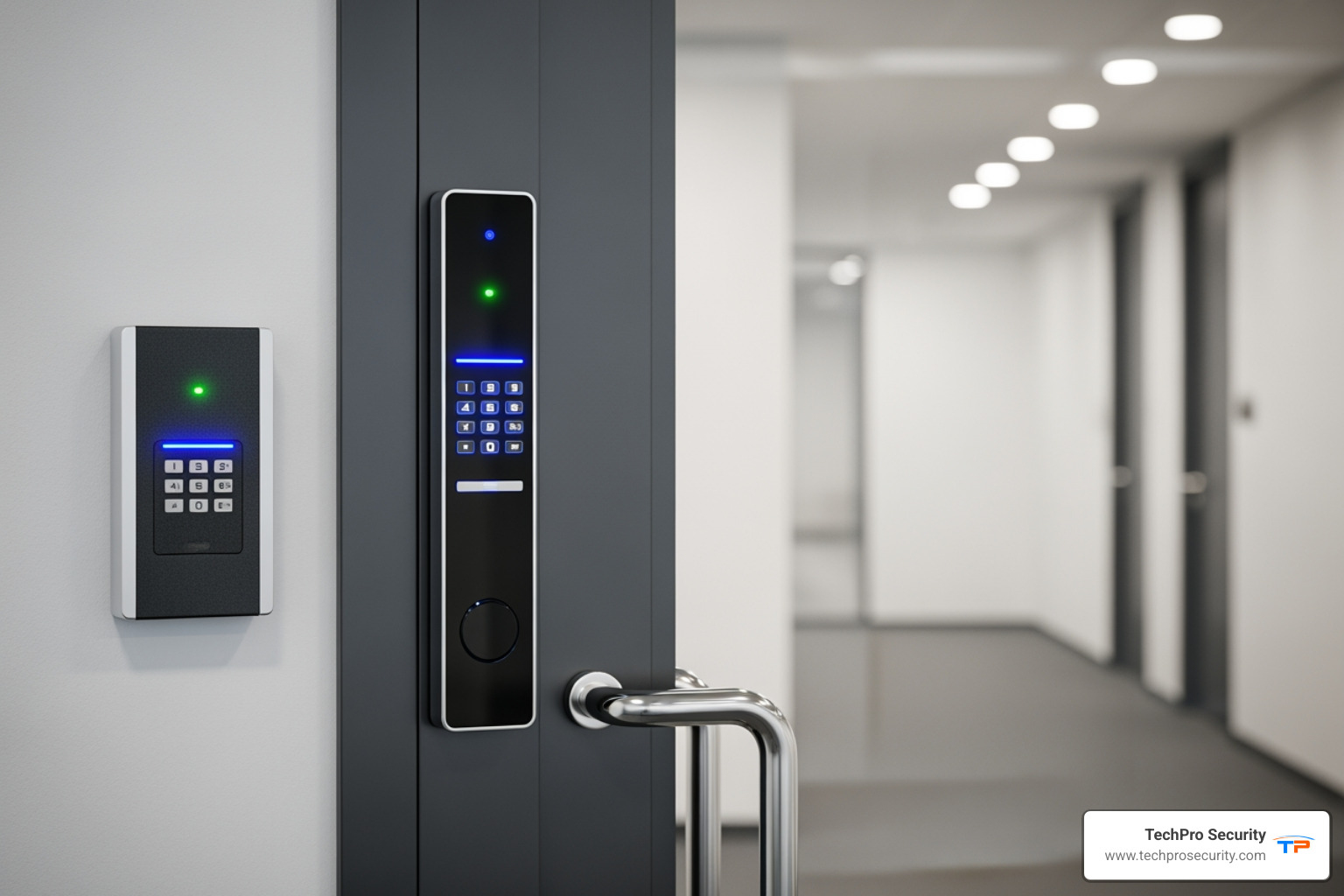
The physical shape and mounting style of your access control card readers can make a big difference in both function and appearance.
Mullion-mount readers are sleek, narrow units designed for door frames (mullions). Their slim profile is perfect when wall space is limited and aesthetics are important.
Single-gang readers are wider units that mount on standard electrical boxes. The extra space allows for integrated keypads, larger biometric sensors, or displays, making them ideal for multi-factor authentication.
Modern readers are designed with clean lines to complement your building’s architecture. While some may attempt a DIY installation, we recommend professional service to ensure correct wiring, integration, and optimal performance. Our expertise in security camera installation reflects the same attention to detail we apply to access control.
Communication Protocols: Wiegand vs. OSDP
How your reader communicates with the control panel is vital for security. For decades, Wiegand was the standard, but it’s unencrypted and vulnerable to interception. The modern, secure alternative is OSDP (Open Supervised Device Protocol). OSDP encrypts all communication between the reader and controller, preventing data tampering. It also supports bi-directional communication, allowing the controller to monitor the reader’s status and receive real-time tamper alerts. We always recommend OSDP to future-proof your investment and ensure the highest level of security. Learn more about the legacy Wiegand interface and SIA’s Open Supervised Device Protocol (OSDP) standards for secure reader-to-controller communication.
Enhancing Security with Integration and Advanced Features
Access control card readers are powerful, but they become a true security ecosystem when integrated with other systems. When they work together, they create a unified defense that is greater than the sum of its parts.
Multi-Factor Authentication (MFA): Card + PIN/Biometric
Multi-Factor Authentication (MFA) dramatically boosts security by requiring two forms of identification. This layered approach makes unauthorized access much harder, even with a stolen credential. The most common combinations are:
- Card + PIN: Users present their card and enter a personal code on an integrated keypad. A lost card is useless without the secret PIN.
- Card + Biometric: For maximum security, users present a card and verify their identity with a fingerprint or facial scan. This ensures the person using the card is the authorized individual, making it ideal for data centers, labs, or executive suites.
We’ve seen this approach work beautifully in South Florida facilities handling sensitive information, where the consequences of a security breach could be devastating.
Integrating Readers with Your Broader Security System
Integrating access control card readers with other systems creates an intelligent, responsive security network.
- Video Surveillance: Link access events (granted or denied) to video recordings. This instantly provides visual verification and eliminates searching through hours of footage, a key feature of our video monitoring service.
- Intercoms: Allow visitors to request entry and enable staff to verify identity before granting access remotely.
- Alarm Systems: Automatically trigger an alarm if a door is forced, held open too long, or an invalid card is used repeatedly.
- Centralized Management: Modern software lets you manage readers, credentials, schedules, and integrations from a single dashboard, streamlining security operations. For more details, explore our access control systems page.
Security Implications of Different Access Control Card Readers
When evaluating access control card readers, prioritize key security features. Encryption standards like AES are essential for scrambling data between the card, reader, and controller. Choose technologies with high resistance to cloning, such as encrypted smart cards or mobile credentials, over older, vulnerable proximity cards. A secure communication protocol like OSDP is non-negotiable for protecting data in transit and detecting tampering. Finally, for systems using biometrics, ensure strict data privacy policies are in place to protect sensitive personal information and comply with regulations like HIPAA.
Frequently Asked Questions about Access Control Readers
We hear a lot of questions about access control card readers as businesses and communities in South Florida look to upgrade their security. After nearly two decades of installing these systems, we’ve learned that people have similar concerns—and they’re all great questions. Let’s walk through the most common ones.
How secure are proximity cards from being copied?
Here’s the honest truth: standard 125 kHz proximity cards have known vulnerabilities and can be copied or “cloned” with relatively inexpensive equipment that’s readily available online. It’s not even particularly difficult for someone with basic technical knowledge. This is a significant security risk if you’re relying solely on this older technology to protect your facility.
Think of it this way—if someone can duplicate your access card as easily as making a copy of a house key at the hardware store, you’re not getting the security you think you’re paying for. For higher security, we strongly recommend encrypted 13.56 MHz smart cards, mobile credentials, or biometric systems. These modern solutions offer far greater resistance to unauthorized duplication, protecting your property much more effectively. The peace of mind alone is worth the upgrade.
Can I use my existing cards with a new reader?
It depends on the technology of your existing cards and the capabilities of the new reader you’re considering. A new reader must support the same frequency—for example, 125 kHz for proximity cards or 13.56 MHz for smart cards—and the same card format as your current credentials. You can’t just swap any reader in and expect it to work with your existing cards.
The good news is that multi-technology readers are an excellent solution for phased upgrades. These versatile readers are specifically designed to read multiple types of credentials simultaneously, including both old and new technologies. This means you can transition to more secure credentials at your own pace without the disruption and expense of replacing all your cards or readers at once. You might issue new encrypted smart cards to executives and sensitive areas first, while still allowing existing proximity cards to work for general staff. It’s a practical, budget-friendly approach that we recommend all the time for our South Florida clients.
What happens if the power or internet goes out?
This is a critical question for any security system, especially in areas like South Florida where hurricanes and summer storms can knock out power without warning. The last thing you want is to be locked out of your own building—or worse, have your building become completely unsecured—during an emergency.
Most professional access control card readers systems include robust battery backups that ensure continued operation during power interruptions. These aren’t just tiny backup batteries either—they’re designed to keep your system running for hours, sometimes even days. Additionally, readers and locks can be configured based on your specific security needs as either “fail-safe” (meaning they automatically open up on power loss, which is often used for fire safety exits) or “fail-secure” (meaning they remain locked on power loss, which is common for high-security areas like server rooms or pharmaceutical storage).
Many modern readers are also designed to function offline, which is incredibly important. They store access events locally and can continue to grant or deny access based on their last synchronized permissions. Once the power or internet connection is restored, they automatically upload all stored events to the central system, maintaining a complete audit trail. You won’t lose any data or have gaps in your security records.
At TechPro Security, our systems are designed with these redundancies in mind to ensure your security remains robust, even when the unexpected happens. We’ve weathered plenty of Florida storms, and we know how to build systems that keep working when you need them most.
Conclusion: Making the Smart Choice for Your Security
Choosing the right access control card readers comes down to balancing your specific security needs, environment, and budget. From reliable proximity cards to high-security smart cards, biometrics, and future-proof mobile access, the goal is a system that fits your property. Factors like installation, secure protocols like OSDP, and MFA all contribute to a robust solution.
At TechPro Security, we specialize in crafting custom solutions for South Florida homes and businesses. Our experienced team will help you select and install the perfect system, backed by extensive warranties and free US-based support. You can relax knowing your investment and property are secure.
Don’t leave your security to chance. Partner with experts who understand our region’s unique challenges.
Secure your property with a professional access control system today. Find the peace of mind that comes with reliable, affordable, and expertly installed protection.