How to Choose the Right Security Camera Resolution for Your
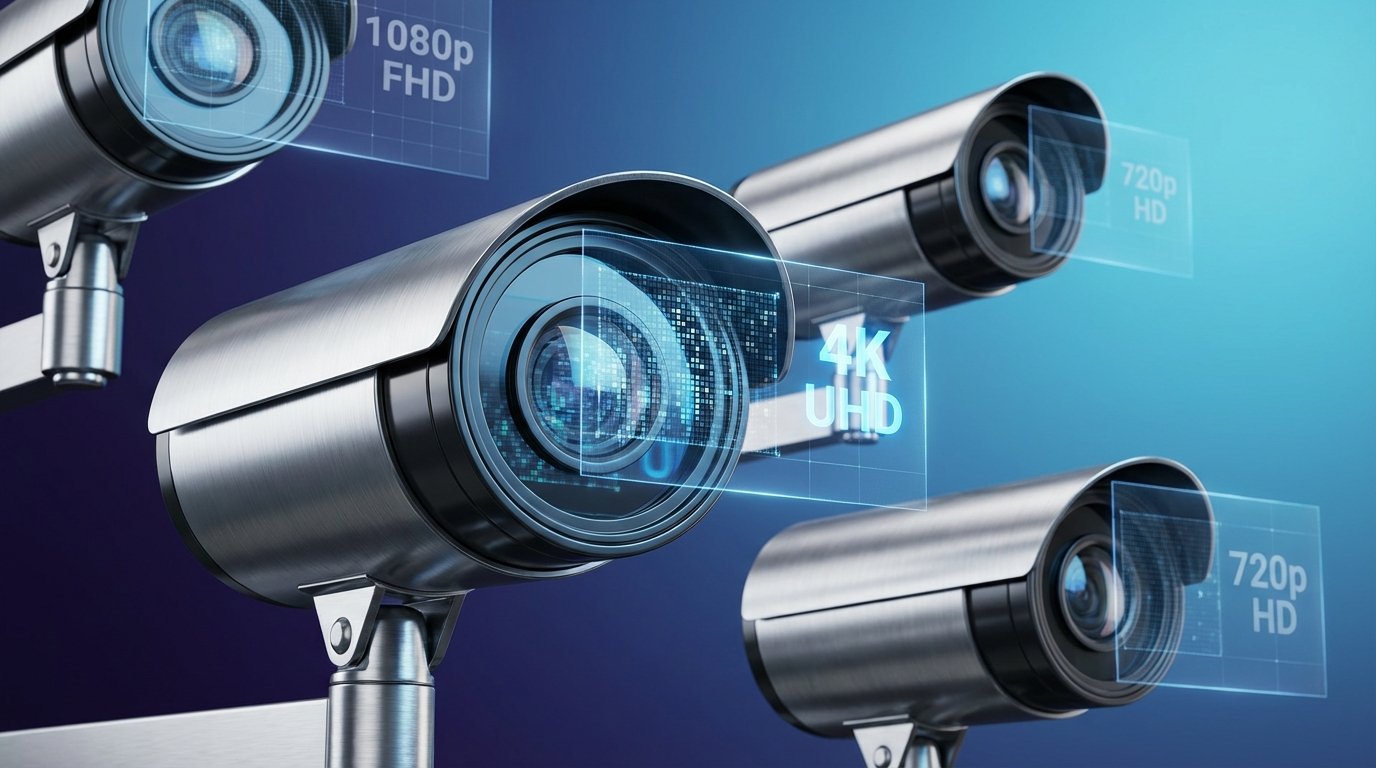
The difference between identifying a trespasser and watching a blurry figure on your security footage often comes down to one critical specification: camera resolution. With options ranging from basic 1080p to ultra-high-definition 4K and beyond, business owners face a bewildering array of choices that significantly impact both security effectiveness and budget.
Security camera resolution determines how many pixels compose your video image, directly affecting your ability to capture facial features, license plates, and other crucial details. While higher resolution sounds universally better, the reality involves balancing image quality, storage requirements, bandwidth limitations, and cost considerations specific to your business needs.
Understanding Security Camera Resolution Specifications
Security camera resolution is measured in megapixels (MP) or by standard designations like 1080p, 2K, and 4K. Each designation represents a specific pixel count that determines image clarity and detail capture capability.
A 1080p camera, also known as Full HD, delivers 2 megapixels with a resolution of 1920x1080 pixels. This has been the industry standard for years and provides adequate detail for most general surveillance applications. A 3MP camera offers 2048x1536 pixels, providing noticeably more detail than 1080p while maintaining reasonable storage requirements.
The 4MP designation (2560x1440 pixels) represents a significant jump in image quality, often called 2K resolution. This level captures fine details at moderate distances and has become increasingly popular for business applications. Moving up to 5MP (2560x1920 pixels) and 6MP (3072x2048 pixels) provides even greater detail, particularly valuable for covering larger areas or when digital zoom capabilities matter.
At the high end, 4K cameras deliver 8MP resolution (3840x2160 pixels), producing exceptionally detailed images that remain clear even when digitally zoomed. Some specialized applications now utilize 12MP or even higher resolutions, though these typically serve specific security needs rather than general business surveillance.
How Resolution Affects Pixel Density
The relationship between camera resolution and the area being monitored determines pixel density—the crucial factor in capturing identifiable details. A 4K camera monitoring a small entrance provides exceptional detail, while that same camera covering a warehouse floor may not capture facial features at distances beyond 40 feet.
Professional security integrators calculate pixels per foot (PPF) to ensure cameras meet identification requirements. For facial recognition, security standards typically require 80-100 PPF. License plate capture demands even higher density, often requiring 120+ PPF depending on lighting conditions and vehicle speed.
Matching Resolution to Business Security Objectives
Different business environments and security goals require different resolution approaches. Understanding your specific objectives helps avoid both overspending on unnecessary resolution and underinvesting in critical surveillance areas.
Retail and Customer-Facing Businesses
Retail environments benefit significantly from higher resolution cameras at strategic locations. Point-of-sale terminals, entrances, and cash handling areas typically warrant 4MP to 4K cameras to capture transaction details and identify individuals clearly. General store monitoring can often utilize 2MP to 3MP cameras effectively, providing adequate coverage while managing storage costs.
Jewelry stores, pharmacies, and businesses handling high-value merchandise should consider 4K resolution at critical points. The ability to clearly identify individuals and read product labels or serial numbers proves invaluable during investigations.
Office Buildings and Corporate Facilities
Corporate environments generally require moderate resolution cameras for entrance monitoring and hallway surveillance. A 3MP to 4MP camera system typically provides the detail needed for employee identification and visitor tracking without generating excessive data storage demands.
However, areas containing sensitive information or valuable equipment warrant higher resolution coverage. Server rooms, executive offices, and research facilities often justify 4K cameras for enhanced security documentation. When integrating with comprehensive commercial security systems, resolution choices should align with overall security protocols and access control integration.
Warehouses and Distribution Centers
Large open spaces present unique challenges for security camera resolution selection. Wide-area coverage typically requires either numerous moderate-resolution cameras or strategic placement of high-resolution units with digital zoom capabilities.
Loading docks and receiving areas benefit from 4MP to 4K resolution to document shipment conditions and capture vehicle details. Interior warehouse monitoring can often utilize 2MP to 3MP cameras for general surveillance, with higher resolution cameras focused on high-value storage areas or quality control stations.
Parking Lots and Perimeter Monitoring
Outdoor surveillance demands careful resolution consideration based on monitoring distances and lighting conditions. License plate recognition requires 4K cameras with appropriate lens selection, while general parking lot monitoring might utilize 4MP cameras effectively.
Perimeter security increasingly incorporates specialized technologies. For properties requiring advanced detection capabilities, thermal camera systems complement traditional high-resolution cameras by detecting intrusion attempts regardless of lighting conditions.
Technical Considerations Beyond Megapixels
Security camera resolution represents just one specification affecting overall image quality and system performance. Several additional technical factors significantly impact surveillance effectiveness.
Storage Requirements and Bandwidth Impact
Higher resolution cameras generate substantially more data than their lower-resolution counterparts. A 4K camera produces approximately four times more data than a 1080p camera recording at the same frame rate and compression settings.
A single 4K camera recording at 30 frames per second with H.265 compression typically requires 8-12 megabits per second bandwidth and approximately 70-100GB daily storage. Multiply this across 10, 20, or 50 cameras, and storage infrastructure costs become significant.
Modern compression technologies like H.265+ and smart encoding help manage data volumes by reducing bitrates during periods of low activity. However, businesses must still plan for adequate network bandwidth and storage capacity when selecting higher resolution cameras.
Lighting Conditions and Low-Light Performance
Resolution means nothing without sufficient light. Higher resolution sensors actually perform worse in low-light conditions than lower resolution sensors of the same physical size, as individual pixels receive less light.
Businesses with challenging lighting conditions should prioritize cameras with larger sensor sizes, excellent low-light specifications (measured in Lux), and features like wide dynamic range (WDR) or starlight technology. Sometimes a 2MP camera with superior low-light performance provides better usable footage than a 4K camera struggling in dim conditions.
Frame Rate Considerations
While not directly related to resolution, frame rate significantly affects motion capture quality. Higher resolution cameras sometimes sacrifice frame rate, particularly in older or budget systems.
Most business applications perform well at 15-20 frames per second, though areas with fast-moving subjects—like vehicle entrances or production lines—benefit from 30 frames per second. The combination of high resolution and high frame rate dramatically increases storage and bandwidth requirements.
Cost-Benefit Analysis for Different Resolutions
Budget considerations extend beyond camera purchase prices to include infrastructure, storage, and long-term operational costs.
The camera itself represents just 30-40% of total system costs. Network infrastructure capable of handling high-bandwidth video streams, adequate switching equipment, sufficient storage systems, and professional installation comprise the remaining investment.
A 1080p camera system might cost $600-1,200 per camera installed, while a comparable 4K system ranges from $1,200-2,500 per camera depending on features and installation complexity. However, the storage infrastructure for 4K systems adds 50-100% more cost compared to 1080p systems of similar scale.
Forward-thinking businesses should consider that 4K infrastructure investments provide future-proofing benefits. As camera technology advances, existing cabling and network infrastructure can support camera upgrades without complete system replacement.
Making the Right Resolution Choice for Your Business
Rather than selecting a single resolution for your entire facility, professional security designers typically recommend a tiered approach matching resolution to specific area requirements.
The Three-Tier Resolution Strategy
Critical identification zones—entrances, exits, cash handling, and access control points—warrant your highest resolution cameras. Deploy 4K cameras in these locations where identifying individuals and capturing fine details matters most.
General surveillance areas—hallways, parking lots, and common spaces—perform well with mid-range resolution. Utilize 3MP to 4MP cameras that provide adequate detail for incident reconstruction without generating excessive data.
Wide-area monitoring—warehouse interiors, large parking structures, and perimeter overview—can often utilize 1080p to 3MP cameras effectively. These locations typically require broader coverage than fine detail, making moderate resolution appropriate.
Future-Proofing Your Investment
Security camera systems represent multi-year investments. While 1080p remains adequate for many applications today, choosing at least 3MP to 4MP cameras ensures your system remains relevant as viewing expectations and investigative requirements evolve.
Businesses planning automated security solutions should consider resolution requirements for AI-powered analytics. Video analytics, facial recognition, and behavior detection systems often require higher resolution input for accurate performance, making 4MP the practical minimum for AI-enabled surveillance.
Integration with Access Control Systems
Modern security systems integrate video surveillance with access control, creating powerful verification capabilities. When cameras capture individuals using access credentials, sufficient resolution ensures you can verify identity matches and maintain audit trails.
This integration particularly benefits facilities requiring strict security protocols. The combination of high-resolution cameras and access control creates forensic-quality documentation of who accessed which areas and when.
Professional Installation and System Design
Security camera resolution selection represents just one element of effective system design. Proper camera positioning, lens selection, lighting considerations, and network architecture significantly impact surveillance effectiveness regardless of camera specifications.
Professional security integrators conduct site surveys evaluating lighting conditions, coverage requirements, existing infrastructure, and specific security concerns. This assessment identifies appropriate camera locations and specifications, including resolution recommendations based on field of view calculations and identification distance requirements.
Attempting DIY security camera installation often results in suboptimal camera placement, inadequate coverage, or specification mismatches that compromise security effectiveness. Professional installation ensures cameras are positioned for optimal performance, properly configured for lighting conditions, and integrated with other security systems.
Licensed security integrators also navigate building codes, electrical requirements, and warranty considerations that affect long-term system reliability. The value of professional installation extends beyond initial setup to include ongoing system maintenance and technical support.
Emerging Resolution Technologies and Trends
Security camera technology continues evolving, with several developments affecting resolution considerations for business applications.
Multi-sensor panoramic cameras combine multiple sensors in a single housing, providing high-resolution coverage across extremely wide fields of view. These cameras effectively replace 3-4 traditional cameras while simplifying installation and reducing visual impact on building aesthetics.
AI-powered cameras with onboard analytics increasingly influence resolution requirements. AI-powered security cameras perform object classification, behavior detection, and anomaly identification—capabilities that demand sufficient resolution input for accurate analysis.
For property managers overseeing multiple locations, understanding current security technology trends helps inform resolution choices that balance immediate needs with emerging capabilities.
Frequently Asked Questions
What is the best resolution for a security camera?
The best security camera resolution depends on your specific application and monitoring distance. For general business surveillance, 3MP to 4MP (2K) offers an excellent balance of image quality, storage requirements, and cost. Critical identification points like entrances and point-of-sale areas benefit from 4K resolution, while wide-area monitoring often performs adequately with 1080p cameras.
Should I get a 2K or 4K outdoor security camera?
Choose 4K for outdoor locations requiring license plate capture, facial identification at distances beyond 20 feet, or coverage of large areas where digital zoom capabilities matter. Select 2K cameras for general parking lot monitoring, perimeter surveillance, and situations where storage and bandwidth limitations are concerns. 4K cameras excel in well-lit conditions but require significantly more infrastructure investment.
Is 3MP better than 1080p?
Yes, 3MP cameras provide 50% more pixels than 1080p cameras (2048x1536 vs 1920x1080), offering noticeably better detail capture and improved digital zoom capabilities. The storage and bandwidth increase remains modest compared to the jump from 1080p to 4K, making 3MP an attractive middle-ground option that provides enhanced image quality without dramatic infrastructure cost increases.
Is 2MP the same as 2K?
No, 2MP cameras (1080p) and 2K cameras (4MP) are different resolutions. The “2K” designation is somewhat misleading, as true 2K resolution in cinema is 2048x1080. In security cameras, 2K typically refers to 4MP cameras with 2560x1440 resolution, which provide double the pixels of 2MP 1080p cameras. This naming confusion makes it essential to check actual pixel dimensions rather than relying solely on marketing designations.
Selecting Your Optimal Security Camera Resolution
Choosing the right security camera resolution requires balancing image quality needs against budget realities, storage capabilities, and specific security objectives. Rather than pursuing the highest available resolution across your entire facility, implement a strategic approach that deploys appropriate resolution for each location’s unique requirements.
The most effective security camera systems combine thoughtful resolution selection with proper camera positioning, adequate lighting, professional installation, and integration with broader security infrastructure. While 4K cameras generate impressive images, a well-designed 3MP system often outperforms poorly planned 4K installations.
TechPro Security Products helps South Florida businesses navigate security camera resolution decisions through comprehensive site assessments and professional system design. Our licensed security integrators evaluate your specific requirements, recommend appropriate camera specifications for each location, and design systems that deliver optimal security coverage within your budget parameters.
Contact TechPro Security Products for a complimentary security consultation and site assessment. We’ll help you understand exactly which resolution specifications your business needs and design a surveillance system that provides both immediate security effectiveness and long-term value. Call us today to discuss your security camera requirements with our experienced security professionals.
{ “@context”: “https://schema.org”, “@type”: “FAQPage”, “mainEntity”: [ { “@type”: “Question”, “name”: “What is the best resolution for a security camera?”, “acceptedAnswer”: { “@type”: “Answer”, “text”: “The best security camera resolution depends on your specific application and monitoring distance. For general business surveillance, 3MP to 4MP (2K) offers an excellent balance of image quality, storage requirements, and cost. Critical identification points like entrances and point-of-sale areas benefit from 4K resolution, while wide-area monitoring often performs adequately with 1080p cameras.” } }, { “@type”: “Question”, “name”: “Should I get a 2K or 4K outdoor security camera?”, “acceptedAnswer”: { “@type”: “Answer”, “text”: “Choose 4K for outdoor locations requiring license plate capture, facial identification at distances beyond 20 feet, or coverage of large areas where digital zoom capabilities matter. Select 2K cameras for general parking lot monitoring, perimeter surveillance, and situations where storage and bandwidth limitations are concerns. 4K cameras excel in well-lit conditions but require significantly more infrastructure investment.” } }, { “@type”: “Question”, “name”: “Is 3MP better than 1080p?”, “acceptedAnswer”: { “@type”: “Answer”, “text”: “Yes, 3MP cameras provide 50% more pixels than 1080p cameras (2048x1536 vs 1920x1080), offering noticeably better detail capture and improved digital zoom capabilities. The storage and bandwidth increase remains modest compared to the jump from 1080p to 4K, making 3MP an attractive middle-ground option that provides enhanced image quality without dramatic infrastructure cost increases.” } }, { “@type”: “Question”, “name”: “Is 2MP the same as 2K?”, “acceptedAnswer”: { “@type”: “Answer”, “text”: “No, 2MP cameras (1080p) and 2K cameras (4MP) are different resolutions. The “2K” designation is somewhat misleading, as true 2K resolution in cinema is 2048x1080. In security cameras, 2K typically refers to 4MP cameras with 2560x1440 resolution, which provide double the pixels of 2MP 1080p cameras. This naming confusion makes it essential to check actual pixel dimensions rather than relying solely on marketing designations.” } } ] }