
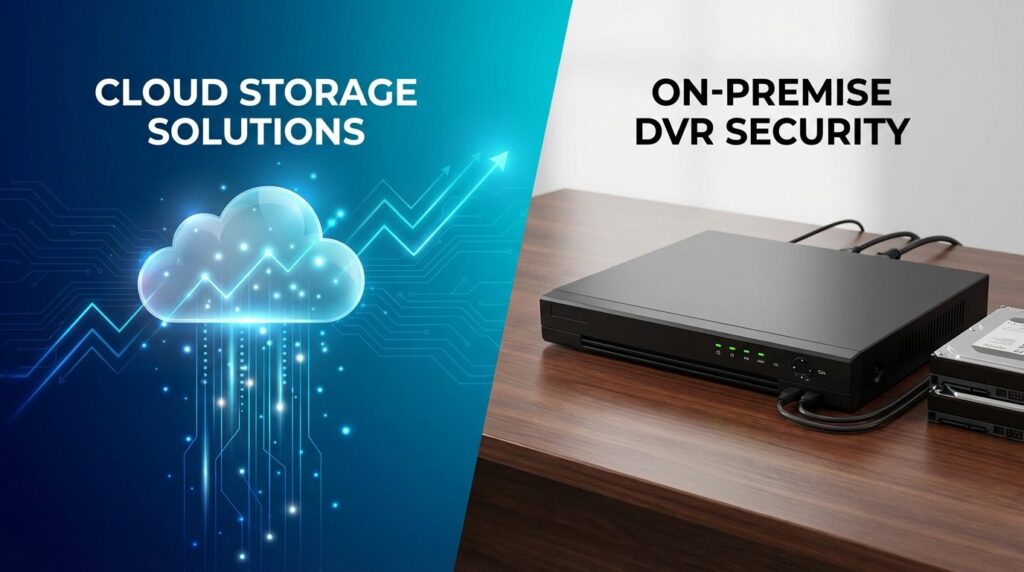
Cloud Storage vs Local DVR: Which Costs Less Over 5 Years?
Security camera storage decisions have a direct impact on your bottom line, and choosing between cloud storage and local DVR systems requires more than just comparing monthly fees. Over a five-year period, the total cost of ownership tells a very different story than the initial price tag suggests. While cloud storage services advertise low monthly rates, those fees compound significantly over time. Meanwhile, local DVR systems demand higher upfront investment but can offer substantial long-term savings for businesses managing multiple cameras.
Understanding the true cost comparison between these storage methods helps commercial property managers, business owners, and security professionals make informed decisions that align with both budget constraints and operational requirements.
Breaking Down Local DVR and NVR System Costs

Local recording systems come in two primary formats: Digital Video Recorders (DVRs) for analog cameras and Network Video Recorders (NVRs) for IP cameras. Both store footage directly on-site using internal hard drives, eliminating recurring monthly fees but requiring upfront hardware investment.
Initial Hardware Investment
A professional-grade NVR system suitable for commercial applications typically ranges from $300 to $2,500 depending on the number of channels and storage capacity. An 8-channel NVR with 2TB of storage averages around $500, while a 32-channel enterprise system with 12TB capacity can exceed $2,000. These units support continuous recording for multiple cameras simultaneously while offering local playback and remote viewing capabilities.
Hard drive costs represent another significant component. Commercial-grade surveillance hard drives designed for 24/7 operation cost approximately $50-80 per terabyte. Unlike standard computer drives, surveillance-rated drives handle constant write operations without premature failure, making them essential for reliable security systems.
Installation and Configuration Expenses
Professional installation for local recording systems typically costs between $800 and $2,500 for commercial properties, depending on system complexity and the number of cameras. This includes physical mounting of the NVR unit, network configuration, hard drive installation, and integration with existing camera infrastructure. While some businesses attempt DIY installation, professional setup ensures proper network security, optimal recording settings, and warranty compliance.
Ongoing Operational Costs
Local systems consume electricity continuously, adding approximately $30-60 annually to power bills for standard commercial installations. Professional-grade NVR units with multiple hard drives draw 50-100 watts during operation, a modest but persistent expense over five years.
Hard drive replacement represents the primary ongoing cost. Surveillance hard drives typically last 3-5 years under constant operation, meaning most businesses need at least one drive replacement during a five-year ownership period. Budget $150-400 for replacement drives depending on storage capacity requirements.
Some businesses opt for annual maintenance contracts ranging from $200-500 per year, covering firmware updates, system health checks, and priority technical support. However, many companies manage basic maintenance internally, making this expense optional rather than mandatory.
Cloud Storage Pricing Models Explained
Cloud storage services charge recurring monthly or annual fees based on the number of cameras, storage duration, and video quality settings. These subscription models eliminate large upfront costs but create perpetual payment obligations that accumulate substantially over time.
Per-Camera Subscription Tiers
Most commercial cloud storage providers structure pricing around per-camera monthly fees. Basic plans offering 7-30 days of continuous recording typically cost $10-30 per camera monthly. Premium tiers with 60-90 days of retention range from $30-60 per camera monthly. For a modest 8-camera commercial installation, monthly costs quickly escalate to $240-480, translating to $2,880-5,760 annually.
Enterprise-level cloud storage with extended retention periods, advanced analytics, and dedicated support can reach $75-150 per camera monthly. A 16-camera system at this tier generates $14,400-28,800 in annual subscription costs.
Data Transfer and Bandwidth Considerations
Cloud storage requires constant internet bandwidth to upload video footage. A single 4MP camera recording at 15 frames per second generates approximately 2-4 Mbps of upload traffic continuously. Eight cameras can consume 16-32 Mbps of sustained upload bandwidth, potentially necessitating business internet upgrades costing an additional $50-200 monthly.
Some commercial internet service plans impose data caps or throttling thresholds. Uploading security footage continuously can generate 5-10 terabytes of monthly data transfer, potentially triggering overage fees or requiring upgraded service tiers.
Hidden Cloud Storage Expenses
Video retrieval fees apply with certain providers, charging $5-20 per video clip download or $50-100 for bulk footage exports during investigations. These fees seem minor individually but accumulate when multiple incidents require evidence retrieval.
Camera firmware compatibility creates another hidden cost. Cloud services sometimes require specific camera models or firmware versions, forcing hardware upgrades to maintain service compatibility. Budget $100-300 per camera for potential hardware replacements over five years due to platform requirements.
Five-Year Total Cost of Ownership Comparison
Calculating the true cost difference requires examining all expenses across a five-year operational period for both storage methods.
8-Camera Commercial System Analysis
For a local NVR system with 8 cameras recording continuously in 1080p resolution:
- Initial equipment: $800 (NVR with 4TB storage)
- Professional installation: $1,200
- Electricity (5 years): $250
- Hard drive replacement (year 4): $200
- Optional maintenance: $0-2,500
- Five-year total: $2,450-4,950
For cloud storage at $20 per camera monthly (mid-tier pricing):
- Monthly subscription: $160 × 60 months = $9,600
- Bandwidth upgrade: $75 monthly × 60 months = $4,500
- Video retrieval fees: $200 (estimated)
- Five-year total: $14,300
The local DVR system costs approximately $2,450-4,950 over five years compared to $14,300 for cloud storage, representing potential savings of $9,350-11,850.
16-Camera Enterprise System Analysis
Larger installations amplify the cost differential. For a 16-camera commercial property:
Local NVR system:
- Initial equipment: $1,500 (32-channel NVR with 8TB storage)
- Professional installation: $2,000
- Electricity (5 years): $300
- Hard drive replacement: $400
- Five-year total: $4,200-6,700
Cloud storage at $25 per camera monthly:
- Monthly subscription: $400 × 60 months = $24,000
- Bandwidth upgrade: $150 monthly × 60 months = $9,000
- Video retrieval fees: $400
- Five-year total: $33,400
The cost difference reaches $26,700-29,200 in favor of local storage for a 16-camera deployment.
Beyond Price: Operational Considerations

Cost represents only one factor in storage decisions. Operational requirements, security concerns, and business continuity needs also influence the optimal choice.
Data Security and Privacy Control
Local storage keeps all video footage within your physical control, eliminating third-party access to sensitive surveillance data. This proves particularly important for businesses handling confidential operations, government facilities with compliance requirements, or properties where privacy regulations restrict cloud data storage.
Cloud storage requires trusting third-party providers with continuous access to security footage. While reputable providers implement encryption and security protocols, data ultimately resides on external servers potentially vulnerable to breaches, unauthorized access, or legal requests requiring footage disclosure.
Network Dependency and Reliability
Local DVR systems continue recording during internet outages, maintaining uninterrupted surveillance during network disruptions. Footage remains accessible through direct connection to the NVR even when external connectivity fails.
Cloud storage depends entirely on internet connectivity. Network outages create recording gaps, potentially missing critical security events. Even brief disruptions accumulate into hours of lost footage over five years, creating security vulnerabilities and compliance gaps for businesses requiring continuous surveillance documentation.
Footage Retention and Storage Capacity
Local systems provide extensive storage duration limited only by hard drive capacity. A 4TB drive supports 30-60 days of continuous recording for 8 cameras at 1080p resolution, with larger drives extending retention to 90-180 days. Businesses access historical footage without additional fees regardless of age.
Cloud storage retention periods correlate directly with subscription tier costs. Extended retention requires premium pricing, and accessing footage beyond your subscription period becomes impossible. Critical evidence needed months later may no longer exist if your plan included only 30-day retention.
Scalability and Expansion
Cloud storage scales effortlessly by adding camera subscriptions, though costs multiply proportionally. Local systems require hardware capacity planning but support expansion within channel limits. A 32-channel NVR initially populated with 12 cameras accommodates 20 additional cameras without replacing core infrastructure.
Which Storage Method Makes Financial Sense?
The optimal choice depends on specific business circumstances, operational priorities, and budget structures.
Local DVR Systems Work Best For:
- Businesses with multiple cameras requiring long-term cost predictability
- Properties with 6+ cameras where cloud subscriptions multiply rapidly
- Organizations with IT infrastructure supporting local network storage
- Facilities requiring extended footage retention (90+ days) without premium fees
- Businesses prioritizing data sovereignty and privacy control
- Properties with unreliable internet connectivity or limited bandwidth
- Operations seeking five-year cost savings of $10,000-30,000+
Cloud Storage Makes Sense For:
- Single-location businesses with 1-4 cameras where subscription costs remain manageable
- Operations requiring multi-site centralized monitoring without VPN complexity
- Businesses without IT staff or technical infrastructure management capabilities
- Properties where remote access from multiple devices outweighs cost considerations
- Temporary installations or short-term projects under two years
- Organizations valuing provider-managed updates and automatic failover
Hybrid Approaches
Some businesses implement hybrid strategies combining local primary storage with selective cloud backup for critical cameras. This approach provides cost-effective local retention while maintaining cloud redundancy for high-priority areas like cash registers, entry points, or sensitive locations. Hybrid systems cost more than pure local storage but substantially less than full cloud subscriptions while maintaining operational flexibility.
Implementation Recommendations for Commercial Properties
Selecting the appropriate storage method requires careful assessment of your specific operational requirements and budget parameters.
Calculating Your Breakeven Point
Local storage systems typically reach cost parity with cloud subscriptions within 12-18 months for installations with 6+ cameras. Calculate your specific breakeven by dividing total local system costs by monthly cloud subscription fees. Properties exceeding the breakeven period benefit financially from local storage, while shorter-term deployments may justify cloud subscriptions despite higher long-term costs.
Professional Assessment Value
Experienced security integrators evaluate your property layout, camera count, retention requirements, and bandwidth capabilities to recommend optimal storage configurations. Professional assessment identifies hidden costs, compatibility issues, and operational limitations before committing to either storage method. This upfront consultation prevents expensive mistakes and ensures your chosen solution aligns with actual needs rather than marketing promises.
Infrastructure Considerations
Local storage requires adequate network infrastructure including POE switches, structured cabling, and secure equipment locations. Businesses lacking existing infrastructure face additional installation costs potentially reducing local storage advantages. Conversely, properties with established network infrastructure maximize local storage ROI.
Cloud storage demands sufficient upload bandwidth and reliable internet service. Properties with limited connectivity options or unreliable ISP service experience frustration and recording gaps with cloud solutions regardless of cost considerations.
Frequently Asked Questions
What are 5 disadvantages of cloud storage for security cameras?
Cloud storage presents several operational limitations for commercial surveillance systems. First, ongoing subscription costs accumulate to substantially exceed local storage expenses over multi-year periods, potentially totaling $10,000-30,000+ more over five years for typical commercial installations. Second, complete dependency on internet connectivity creates recording gaps during network outages, potentially missing critical security events. Third, bandwidth consumption from continuous video uploads can overwhelm internet connections or trigger data cap overages. Fourth, limited retention periods based on subscription tiers may delete footage before investigations conclude, with extended retention requiring premium pricing. Fifth, reduced privacy control places sensitive security footage on third-party servers potentially vulnerable to breaches, unauthorized access, or legal disclosure requirements beyond your control.
Is cloud storage cheaper than physical storage for surveillance systems?
Cloud storage appears cheaper initially due to low entry costs, but physical local storage proves significantly more economical over time for commercial installations. A typical 8-camera system costs approximately $2,450-4,950 total over five years with local DVR storage compared to $14,300+ for cloud storage subscriptions, representing savings of $9,350-11,850. The cost differential intensifies with additional cameras, as each camera adds $10-60 monthly to cloud subscriptions while local systems accommodate multiple cameras without proportional cost increases. Cloud storage only offers cost advantages for very small deployments (1-3 cameras) or temporary installations under 18 months where subscription totals remain below local system investment.
How much does 1TB of cloud storage cost for security cameras?
Cloud storage pricing for security cameras doesn’t typically follow per-terabyte models like consumer cloud services. Instead, providers charge per-camera monthly subscriptions based on retention duration rather than raw storage capacity. A single camera generating approximately 200-300 GB monthly at 1080p resolution requires roughly 1TB for 30-day retention, costing $10-30 monthly depending on provider and features. This translates to $120-360 annually or $600-1,800 over five years per terabyte of continuous storage. By contrast, a physical 1TB surveillance-grade hard drive costs $50-80 initially with one-time replacement over five years totaling $100-160, making local storage approximately 85-95% less expensive per terabyte than cloud alternatives.
Do you need cloud storage for security cameras?
Cloud storage is not necessary for security cameras to function effectively. Local DVR and NVR systems provide complete recording, playback, and remote viewing capabilities without cloud subscriptions. Most modern NVR systems support mobile app access and remote viewing through direct connection or VPN, offering functionality similar to cloud services without ongoing fees. Cloud storage becomes beneficial primarily for specific use cases including multi-site centralized monitoring, operations without IT infrastructure, or businesses prioritizing provider-managed maintenance over cost efficiency. Commercial properties with professional security requirements typically achieve better value, control, and long-term cost savings through local storage systems installed and maintained by qualified security integrators.
Making the Right Storage Investment
The financial evidence clearly favors local DVR and NVR systems for most commercial security installations when evaluating five-year total cost of ownership. Businesses save $10,000-30,000+ over five years compared to cloud subscriptions while maintaining superior control, privacy, and operational reliability. The initial investment in professional-grade local storage equipment pays for itself within 12-18 months through eliminated subscription fees, after which ongoing costs remain minimal.
However, cost analysis alone shouldn’t drive storage decisions. Operational requirements, technical capabilities, and specific business needs must inform your choice. Properties with reliable network infrastructure, IT support, and multiple cameras maximize local storage benefits. Conversely, single-location businesses with limited camera counts or operations requiring multi-site centralized access may find cloud storage operationally justified despite higher costs.
Professional consultation provides objective assessment of your specific circumstances, calculating precise cost comparisons based on actual camera counts, retention requirements, and existing infrastructure. TechPro Security Products specializes in designing cost-effective surveillance solutions for South Florida commercial properties, evaluating both local and cloud storage options to recommend configurations delivering optimal value for your specific operational needs.
Contact TechPro Security Products for a complimentary security consultation and customized storage cost analysis. Our experienced security integrators assess your property, calculate precise five-year cost projections for both storage methods, and design surveillance systems maximizing security effectiveness while controlling long-term expenses. Discover how professional-grade local storage solutions can save your business thousands while delivering superior performance and control.